Site Survey in Lexul
Getting started with Site Surveys
Overview
A Site Survey collects important job information before work begins.
Site Surveys help with:
→ Accurate quotes and estimates.
→ Cost planning.
→ Energy rebate documentation.
→ Material preparation.
→ Scope of work planning.
→ Estimating job completion time.
Why Site Surveys Matter
Site Surveys prepare technicians with the information needed to complete the job correctly.
Example:
An HVAC survey can collect:
→ Unit size.
→ Duct information.
→ Mounting height.
→ Unit location.
This information helps improve service quality and job efficiency.
Lexul Site Surveys
Lexul Field Service makes collecting and organizing survey data simple.
→ Use custom field categories to collect consistent information.
→ Configure surveys based on the service being performed.
→ Contact support to create or edit site surveys.
Note: Editing an existing site survey will only affect future surveys. Surveys already assigned to work orders will not change.
Supported Survey Fields
Site Surveys support:
→ Text Fields
→ Lists
→ Numerical Fields
→ Paragraph Text
→ Pictures
Field options include:
→ Multiple entries within the same field.
→ Selectable lists of choices for users.
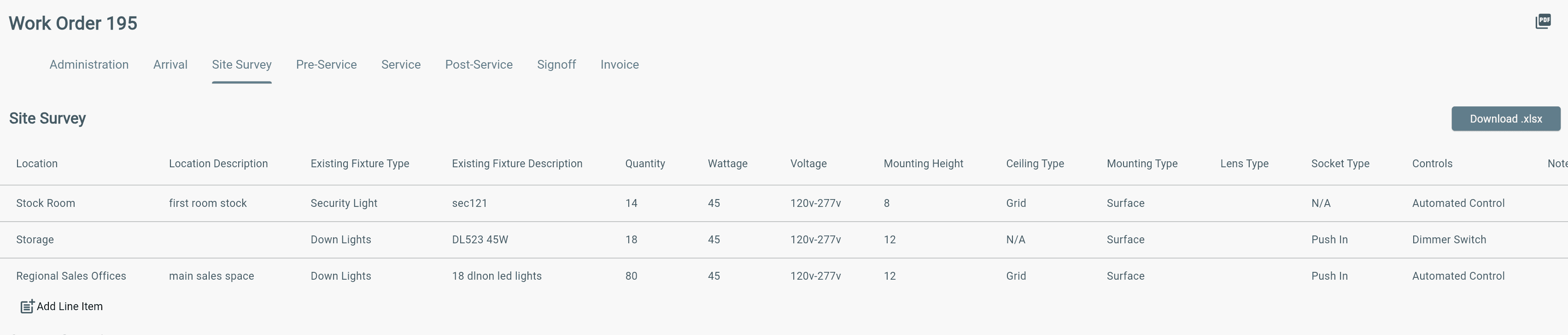
Creating a Site Survey
See this sample spreadsheet for an example of a site survey with multiple field options.
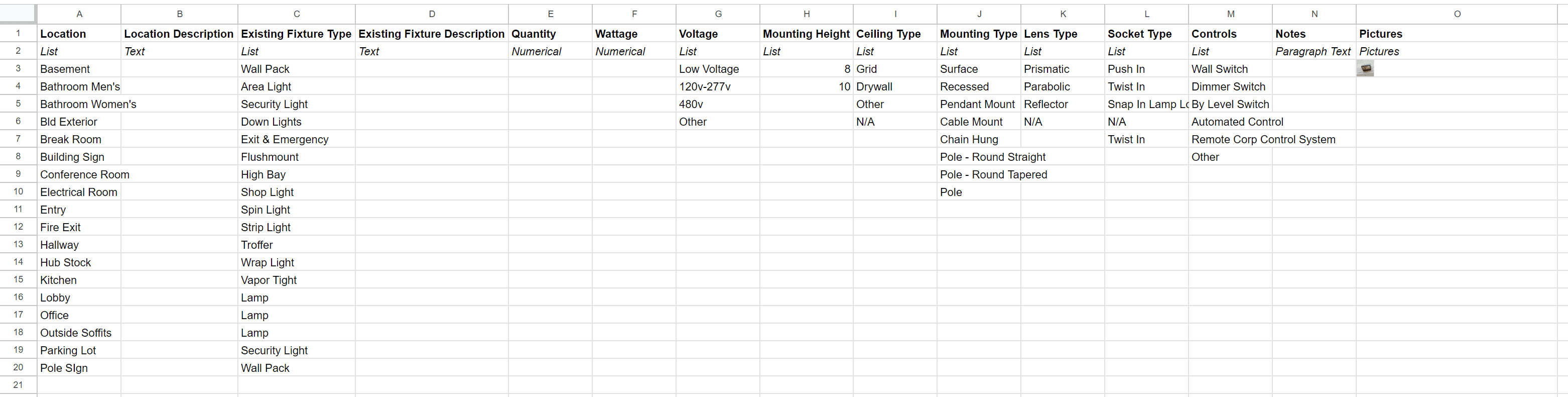
- Create a Spreadsheet where each question is a column in Row 1
- In Row 2 specify the data type for each question
- Text Field
- List
- Numerical Field
- Paragraph Text
- Pictures
- If the data type is "List", provide the list options as rows in the column the list applies to.
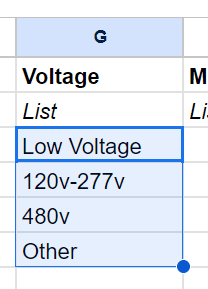
Send the spreadsheet to support@lexul.com and support will import your Site Survey. You can include multiple site surveys in your account.
Additional Information
When exporting a Site Survey to Excel:
→ Multiple image links in one field will appear as one combined link.
Excel does not support multiple image URLs in a single cell.
To find each image:
→ Look for each individual image URL separated by a comma (,).
→ Copy each URL separately to access the individual images.