Adding the Scope of Work
Looking to add instructions, details, parts and services to a work order?
Overview
The Scope of Work provides technicians with job details before arriving onsite.
It can include:
→ Tasks.
→ Instructions.
→ Guidance.
→ Services.
→ Parts.
→ Notes.
This helps technicians understand what needs to be completed before starting the job.
Add Scope of Work
1. Open the work order and go to the Arrival tab.
2. Find the Scope of Work section.
3. Select the blue Action (+) button to add a Service.
4. Add Parts under the selected Service.
5. Add:
→ Services.
→ Parts.
→ Quantities.
→ Notes.
The Scope of Work is now ready for the technician to review.
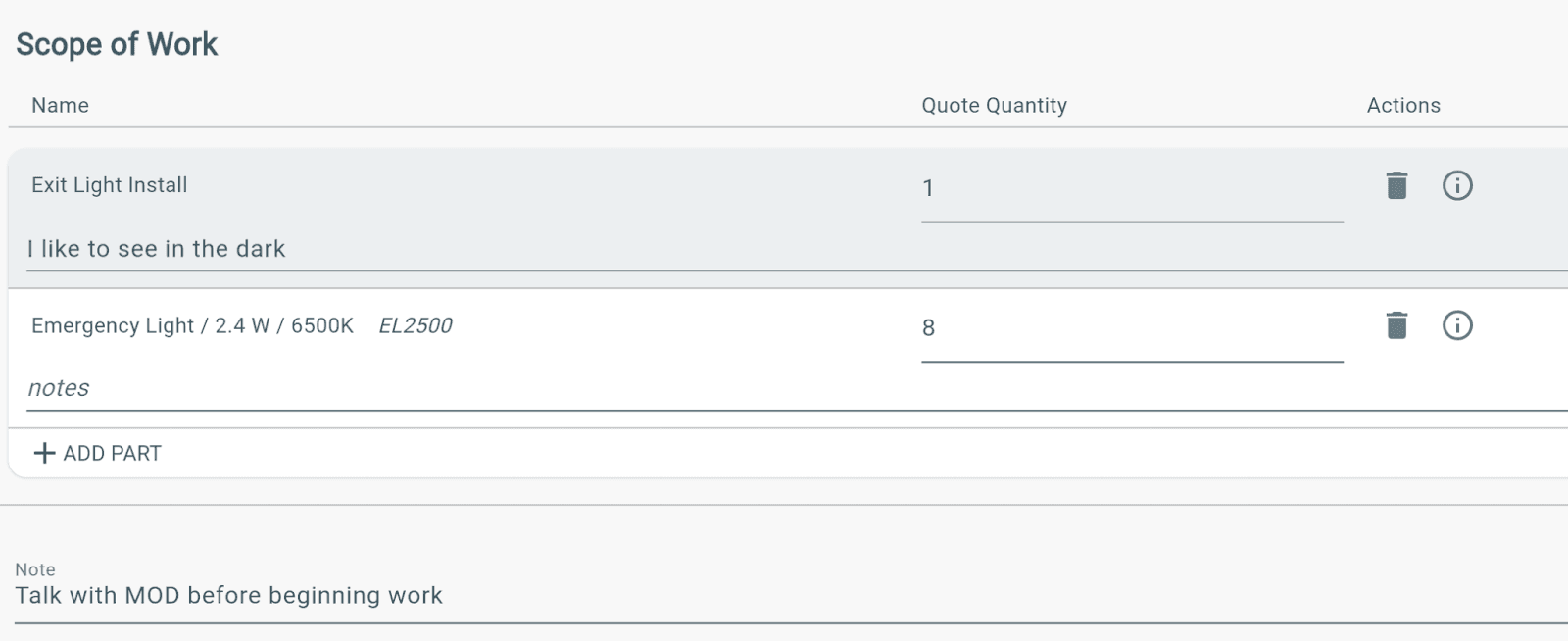
Scope of Work on Work Orders
After adding Parts and Services:
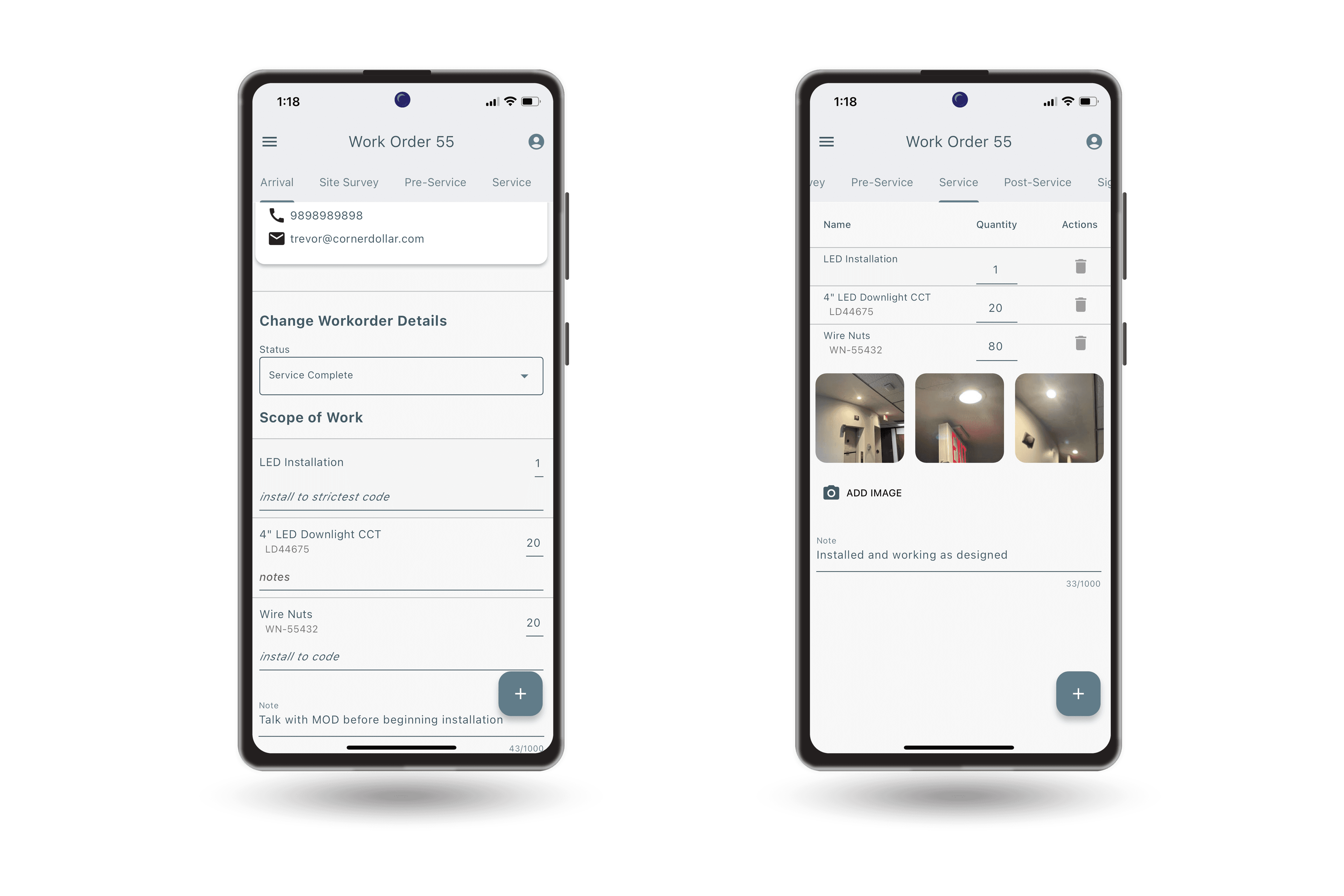
→ They will automatically appear in the Service tab.
→ All assigned technicians will see the added items.
How Technicians View Scope of Work
When a technician opens the work order:
→ The Scope of Work appears in the Arrival tab.
→ The technician can review job details before starting.
Before completing the work:
→ Go to the Service tab.
→ Enter quantities for each Service and Part.
→ Continue to the Post-Service Inspection when complete.
Additional Information
→ Office Admins with the correct permissions can add Scope of Work to any work order.
→ Technicians cannot edit or change Scope of Work added by office staff.
→ Technicians can still add notes below the Scope of Work in the Arrival tab if needed.