Integrations
QuickBooks Online Field Mapping
What fields are synced from QuickBooks to Lexul?
Lexul Field Service syncs data with QuickBooks Online and Desktop.
Supported QuickBooks Online syncs include:
- Customers
- Sub-Customers
- Items
- Invoices
- Employees
- Custom Fields
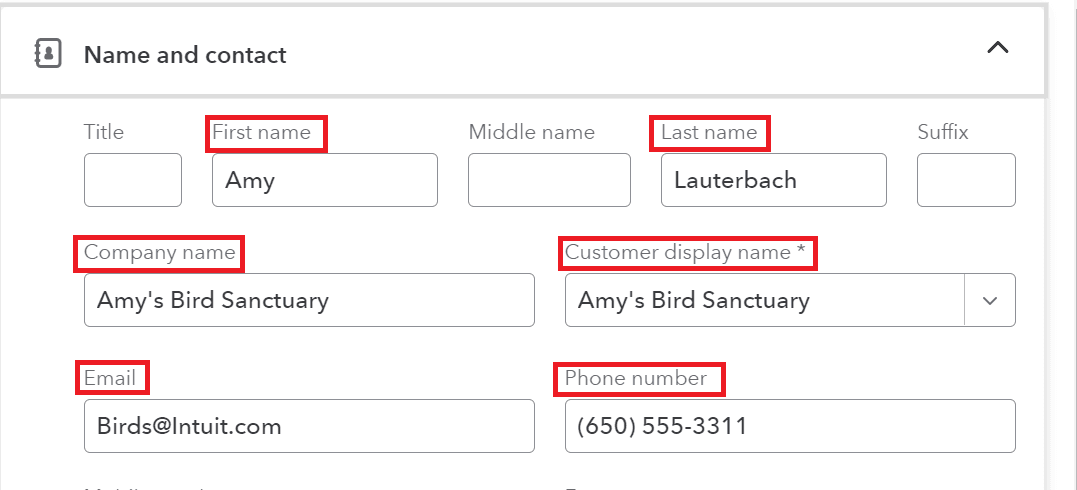
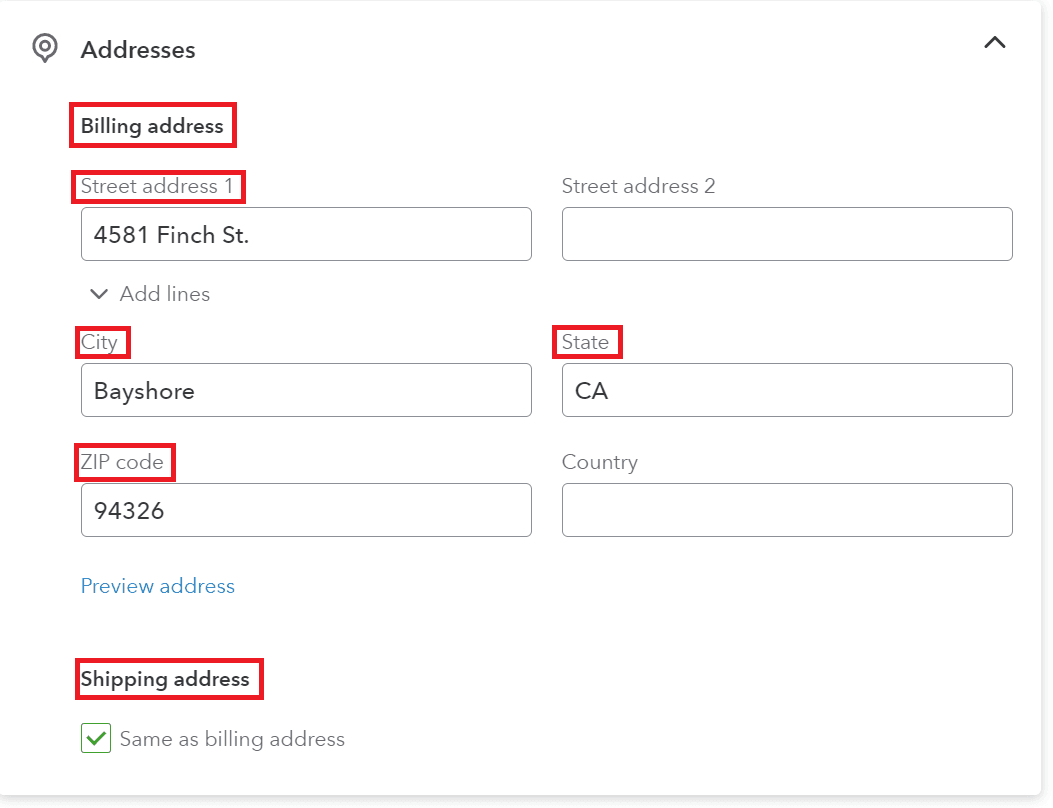
Synced Customer Fields (QuickBooks Online)
Lexul syncs the following customer information:
- First Name (Contact)
- Last Name (Contact)
- Company Name
- Phone Number
- Billing Address
- Shipping Address
Synced Sub-Customer Fields (QuickBooks Online)
Lexul syncs the following sub-customer information:
- First Name (Contact)
- Last Name (Contact)
- Company Name
- Phone Number
- Billing Address
- Shipping Address
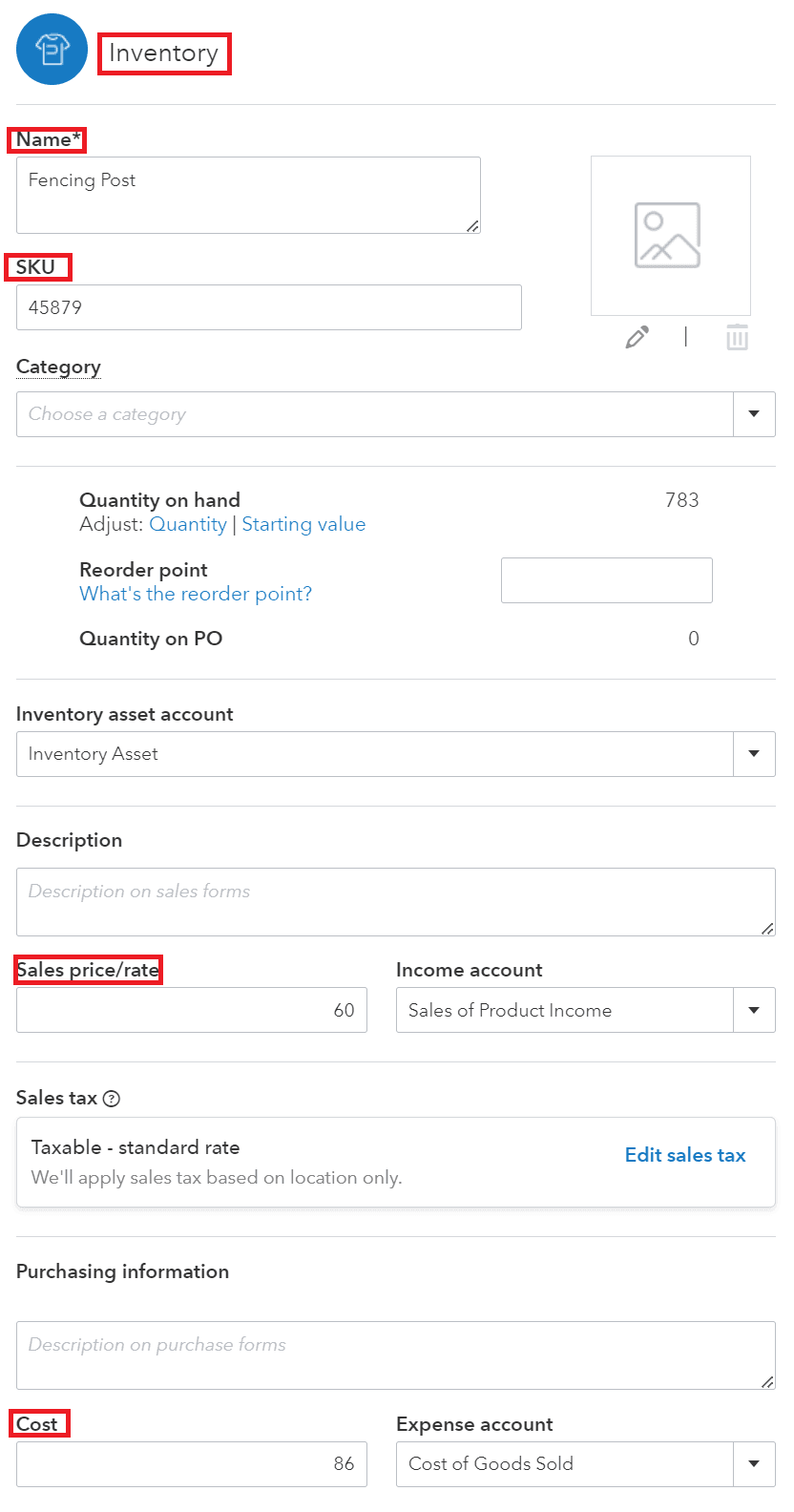
Synced Item Fields (QuickBooks Online)
Lexul syncs the following item information:
- Item Type
- Name
- SKU Number
- Cost
- Price
- Active or Inactive Status
Synced Invoice Fields
- Syncs to Customer attached to Invoice
- Services
- Parts
- Quantity
- Cost (Rate)
- Total (Amount)
- Notes (Description)

Synced Employee Fields
- First Name
- Last Name

Note:
- Only employees with an email address will sync to Lexul Field Service.
Work Types & Time Types
- Work Types and Time Types do not sync to QuickBooks Online.
- This is a limitation of QuickBooks Online integration.
1099 Contractor Sync
- QuickBooks Online Vendors sync as 1099 Contractors in Lexul Field Service.
- Adding a contractor in QuickBooks Online creates a Vendor.
- Vendors sync to Lexul and can be linked to a User.