Integrations
Adding Time Types in QuickBooks Desktop
In QuickBooks Desktop,
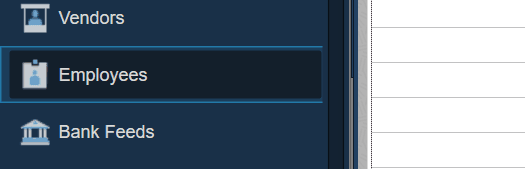
→ find Employees in the menu
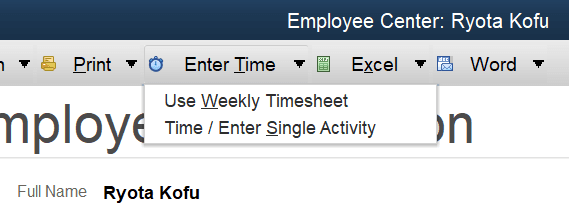
Select Enter Time → Select Time / Enter Single Activity
1. Select Payroll Item
2. Select < Add New >
Note: If the Payroll Item dropdown does not appear, select Save & New to create a new time entry. The dropdown will then become available.
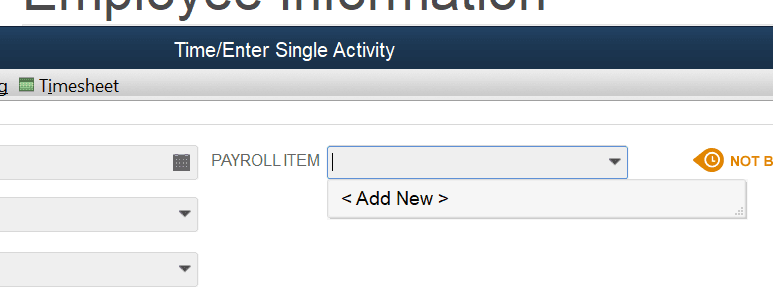
Payroll Items will sync to Lexul Field Service as Time Types.
Note: With QuickBooks Online, Lexul allows users to create custom Time Types for more detailed time tracking.
→ Time Types do not sync to QuickBooks Online.
→ Only approved employee time entries are synced.