Integrations
QuickBooks Desktop Field Mapping
What fields does Lexul pull and sync from QuickBooks?
Overview
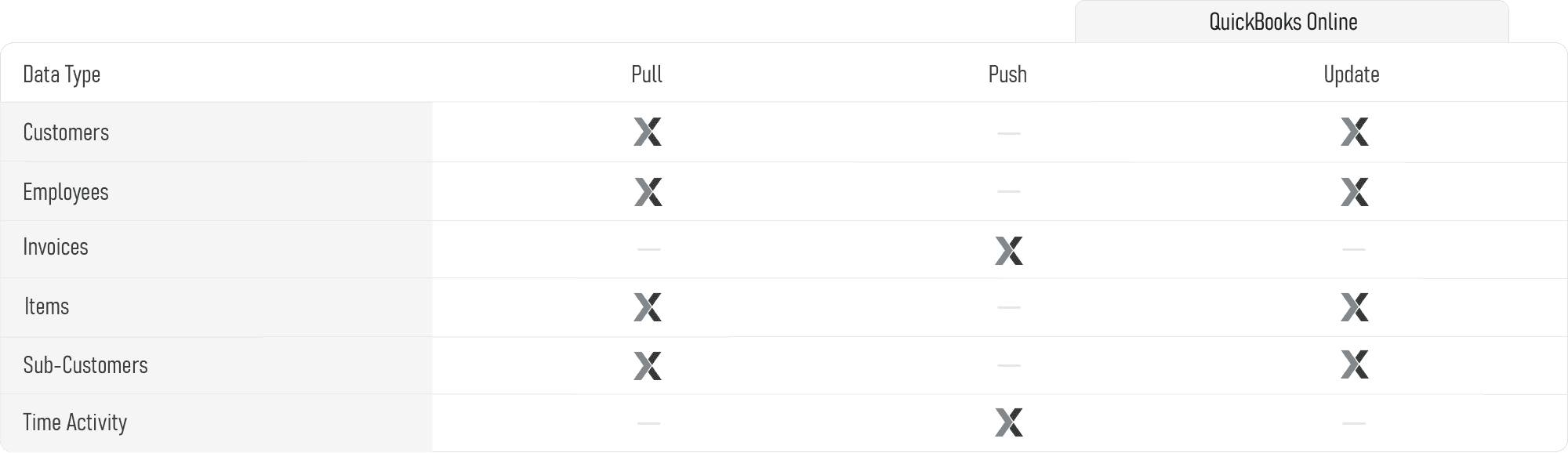
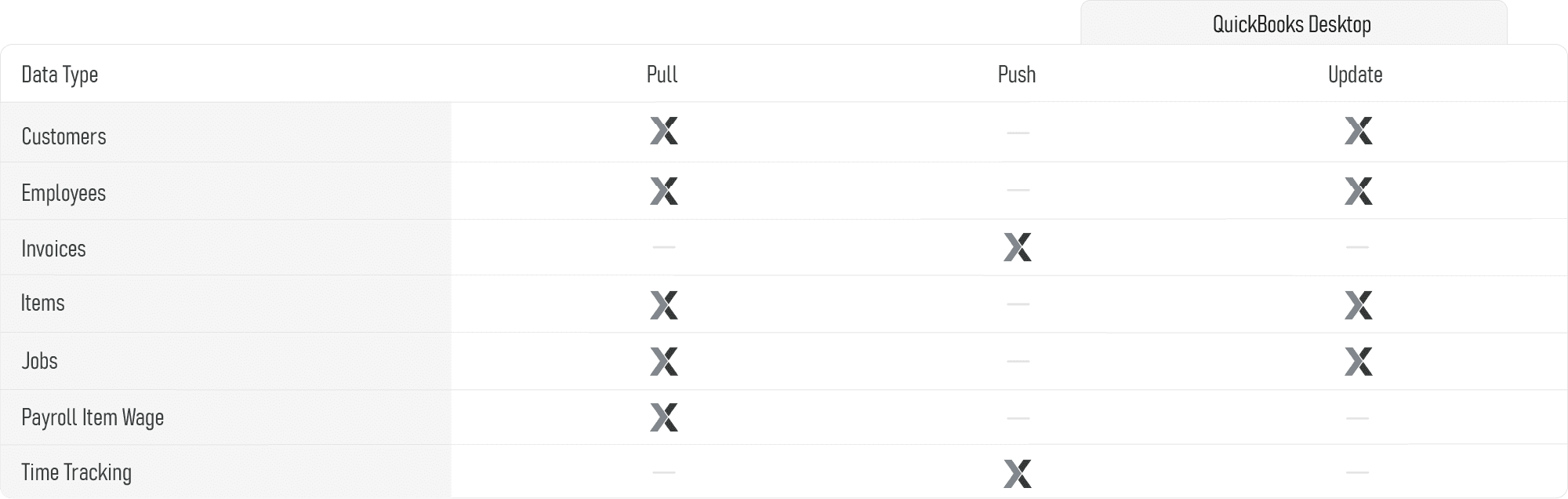
Lexul Field Service syncs data with QuickBooks Desktop and QuickBooks Online.
Supported QuickBooks Desktop syncs include:
- Customers
- Jobs
- Items
- Invoices
- Custom Fields
Lexul syncs specific fields for each category.
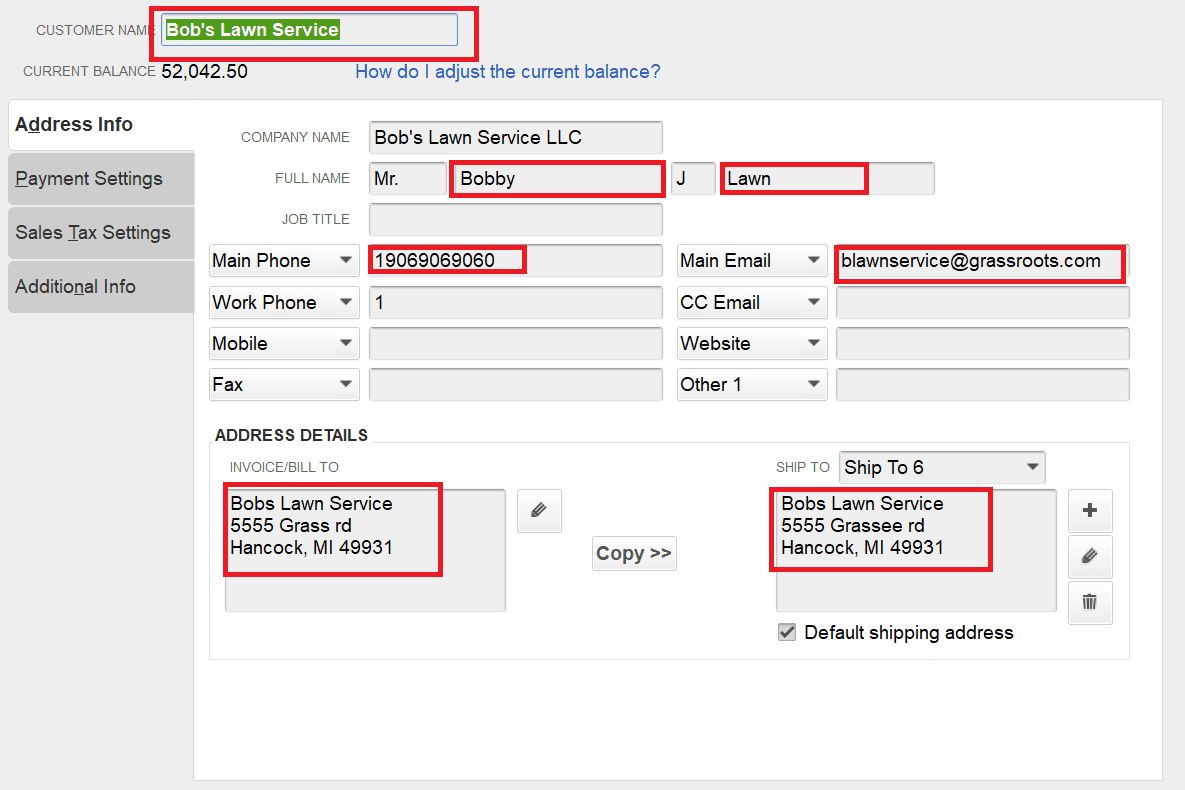
Synced Customer Fields (QuickBooks Desktop)
The following customer fields sync to Lexul Field Service:
- Customer Name
- First Name and Last Name
- Main Phone
- Main Email
- Invoice/Bill To Address
- Ship To Address
Note
- Ship To Address is prioritized when syncing addresses.
Synced Jobs Fields
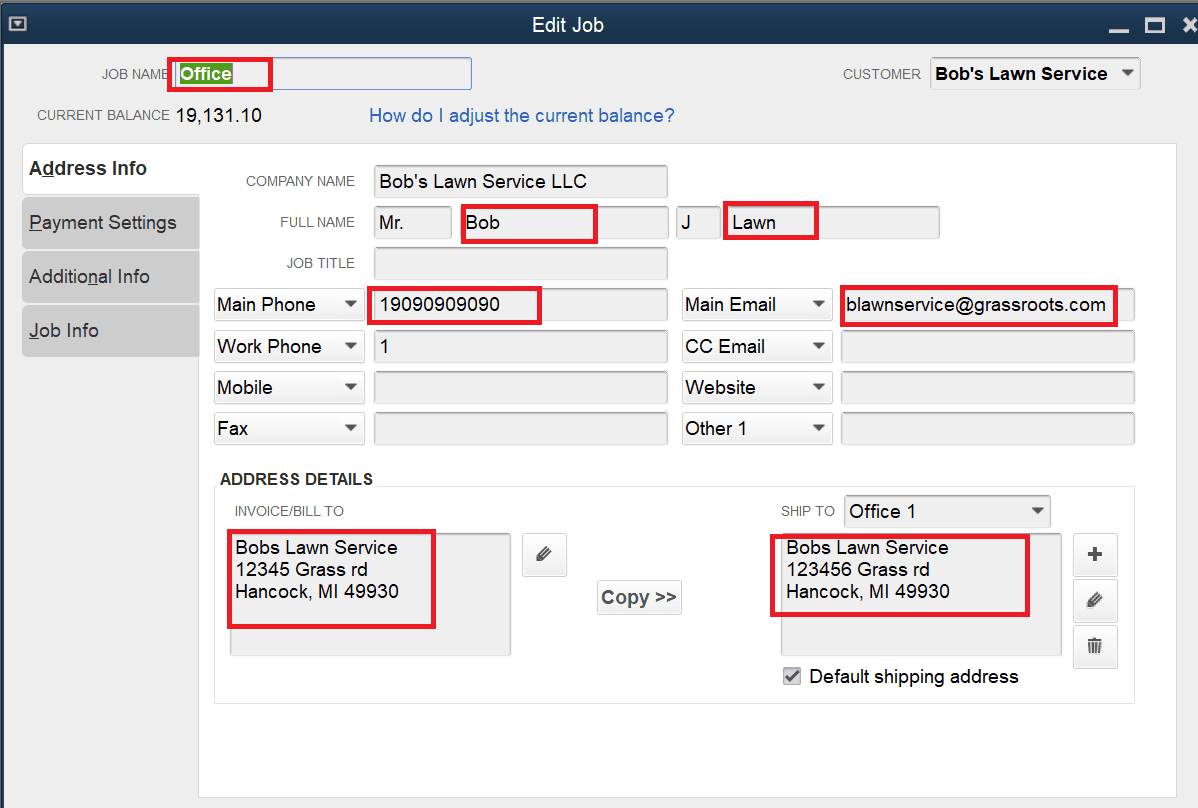
The following job fields sync to Lexul Field Service:
- Job Name
- First Name and Last Name
- Main Phone
- Main Email
- Invoice/Bill To Address
- Ship To Address
Note
- Ship To Address is prioritized when syncing addresses.
Synced Items & Services Fields
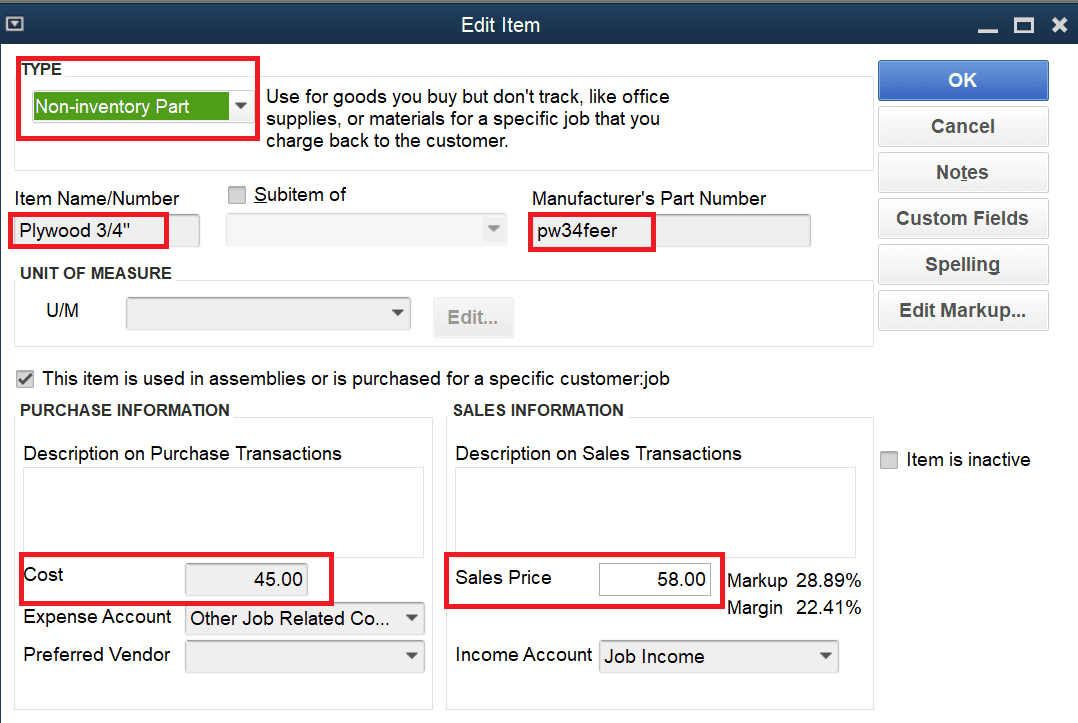
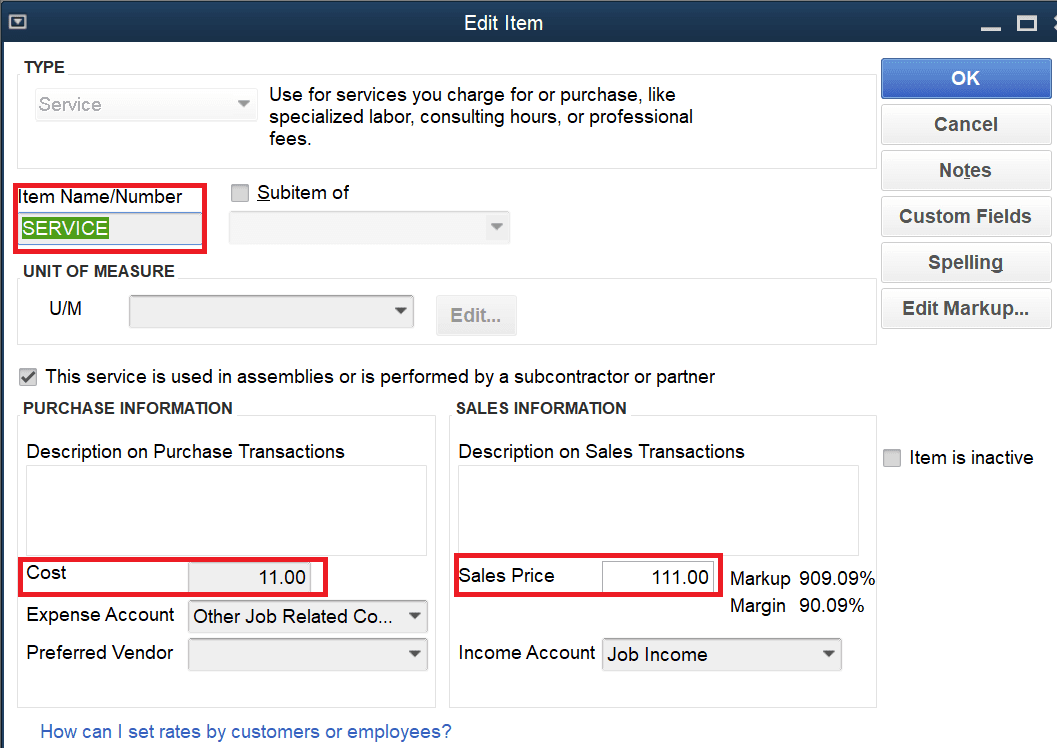
The following item fields sync to Lexul Field Service:
- Type
- Item Name/Number
- Manufacturer’s Part Number
- Cost
- Sales Price or Price
Synced Employee Fields
- First Name
- Last Name
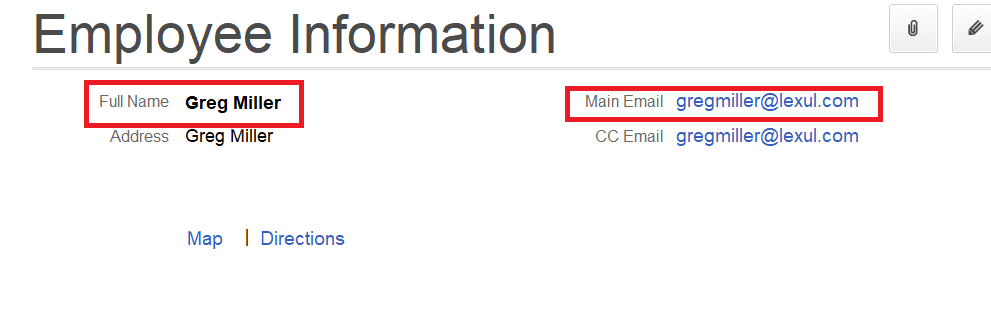
NOTE: Only Employees with emails will be synced.
Synced Wage Type Fields
- Syncs Name
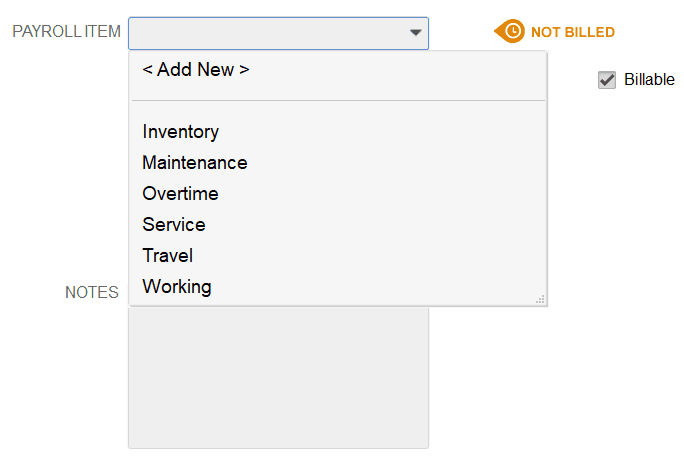
Finding Wage Type (Time Type) in QuickBooks Online
- Open Employees.
- Select Enter Time at the top of the window.
- Choose Time / Enter Single Activity.
- Select Save and New.
- Make sure the Billable box is checked.
- Find the Payroll Item dropdown to view the wage typ
QuickBooks Data Coverage