Technician
Offline Mode
Using offline mode with the Lexul app.
Offline Mode (Beta)
Offline Mode allows technicians to:
- Track shift and job time without service.
- Complete work order details without an internet connection.
Note (Required):
- Work orders must be downloaded while connected to the internet before using Offline Mode.
Download Work Orders
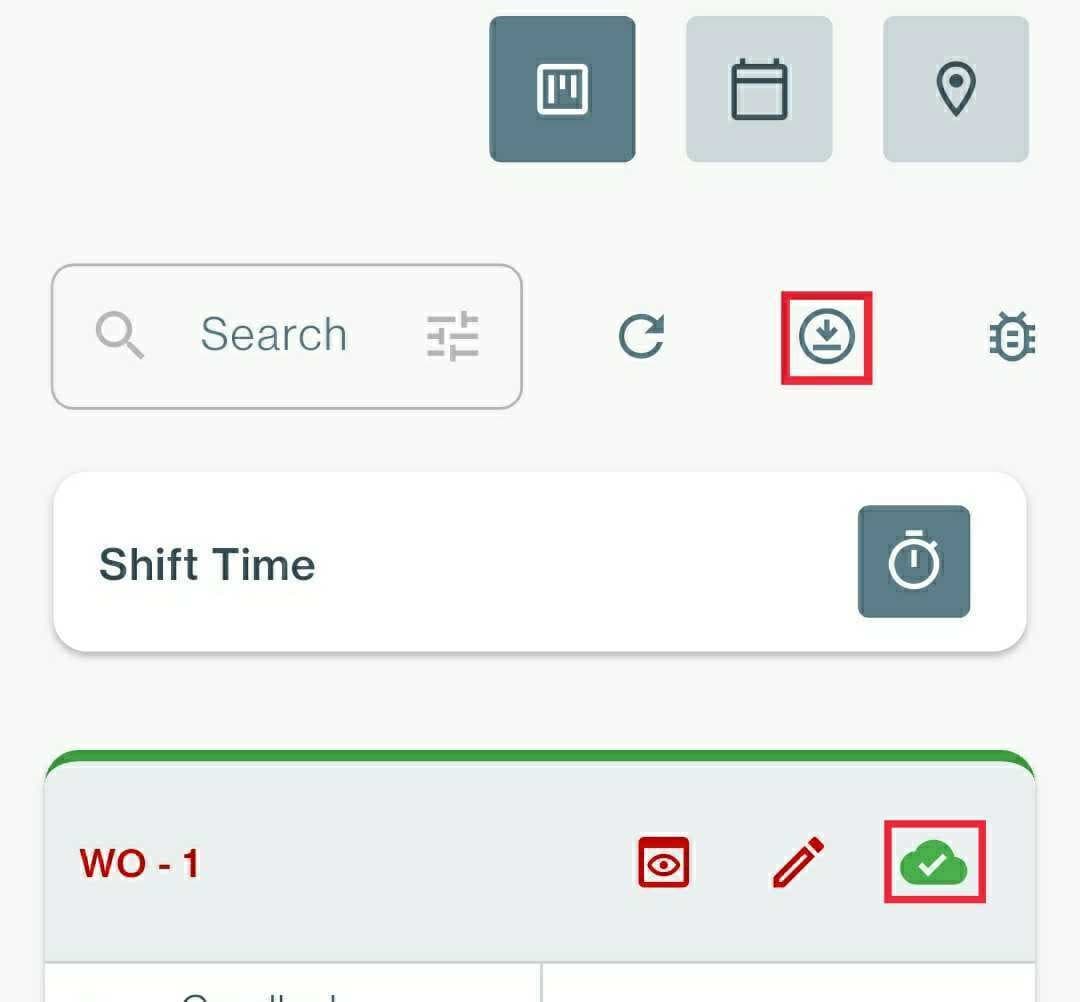
Download all work orders:
- Select the Download icon at the top of the dashboard.
Download individual work orders:
- Select the Download icon on the work order card.
How Offline Actions are Synced
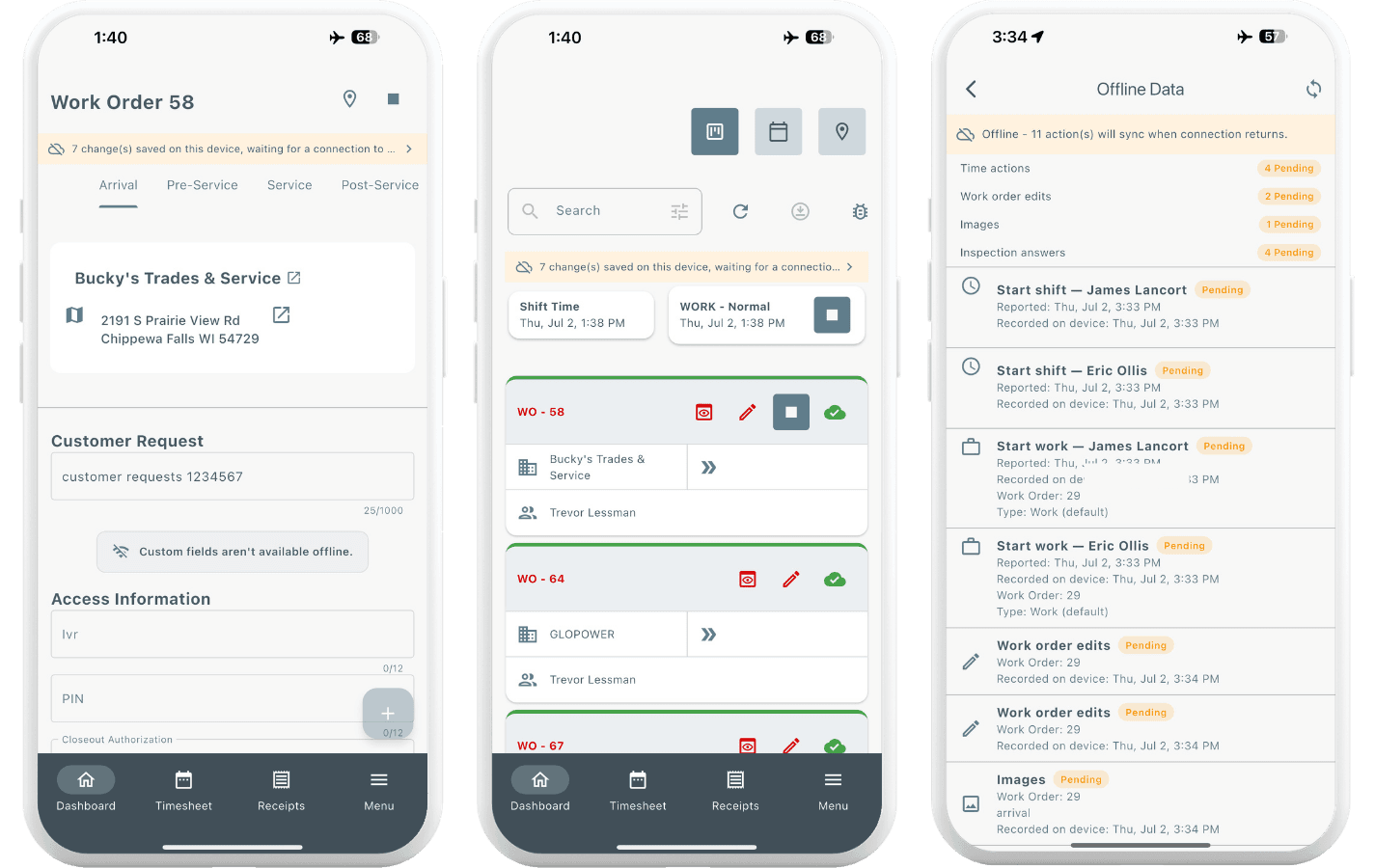
Offline actions and updates automatically sync when the device reconnects to the internet or service.
View Offline Changes
While offline, technician actions appear above the work order and dashboard.
Tracked offline actions include:
- Time tracking
- Notes added
- Images uploaded
- Tasks completed
- Other work order updates
Offline Mode Exceptions (For Now)
Most work order functions work in offline mode, except for:
- Uploading Documents
- Adding Items
- Checking In/Out Equipment
- Custom Fields
- Scope of Work
- Site Surveys
Offline Mode Improvements
This is not a one and done feature. We are continuing to work on offline mode, so that more functions will be available for use soon. Stay tuned for more updates!