Settings
Expense Categories
How to add, change, and use expense categories in Lexul.
Overview
Expense Categories are used to organize expenses and receipts added to work orders.
Use Expense Categories to:
- Track job-related costs.
- Organize receipt information.
- Quickly upload receipts by taking a photo.
Find Expense Categories
Go to:
Configuration → General Config → Expense Categories
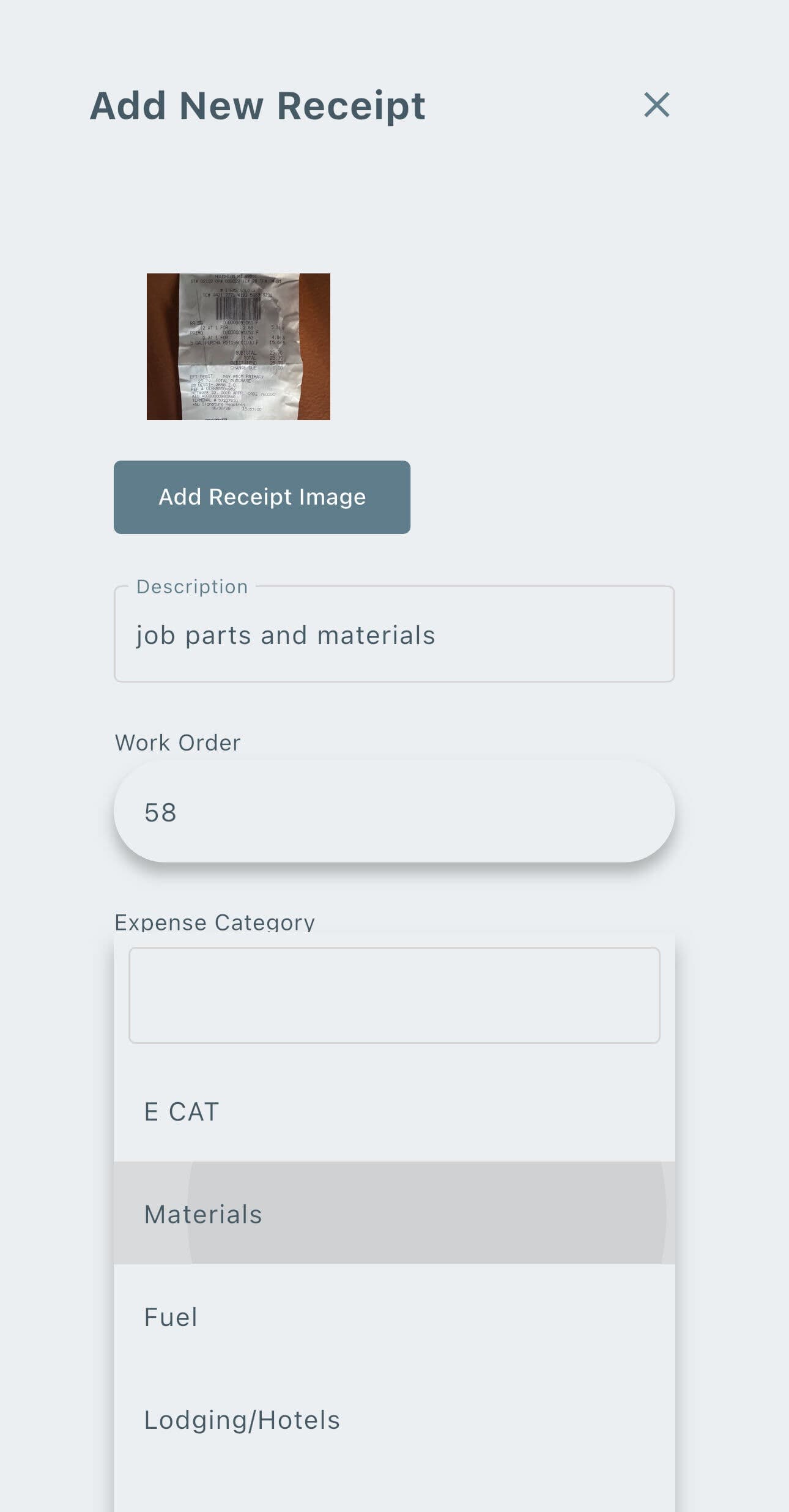
Add Receipts on the work order in the Service tab portion.
Once added, these show in a dropdown selection when adding receipts:
Downloading & Adding Receipts
Go to:
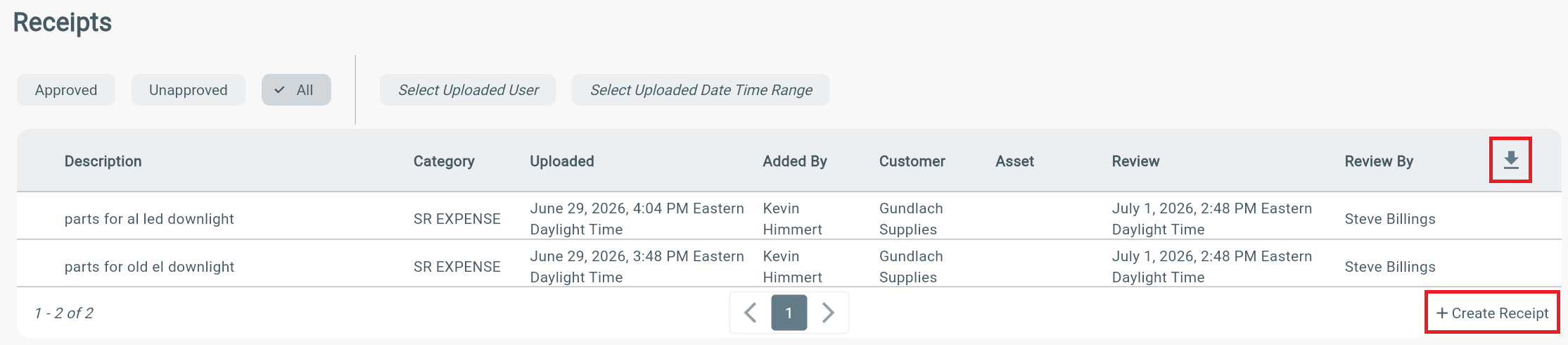
Menu → Receipts
From here you can:
- Select the Download icon to export receipts.
- Select Create Receipt to add a new receipt.
- Filter receipts by:
- User
- Date range
Note
- The selected date range will be used when exporting receipts.
See this article for more information on Receipts.