Settings
Work Order Time Types (Foreman/Crew Tracking)
How to find, add, and use Time Types in Lexul.
Overview
Time Types are used to identify how time is tracked on each job.
Use Time Types to:
- Separate different types of tracked work time.
- Improve time reporting.
- Organize labor categories for billing and payroll.
Common Time Types
Examples include:
- Regular Time
- Overtime
- Drive Time
- Travel Time
- Inventory Time
- Lunch
Time Types can be customized to match your company’s workflow and tracking needs.
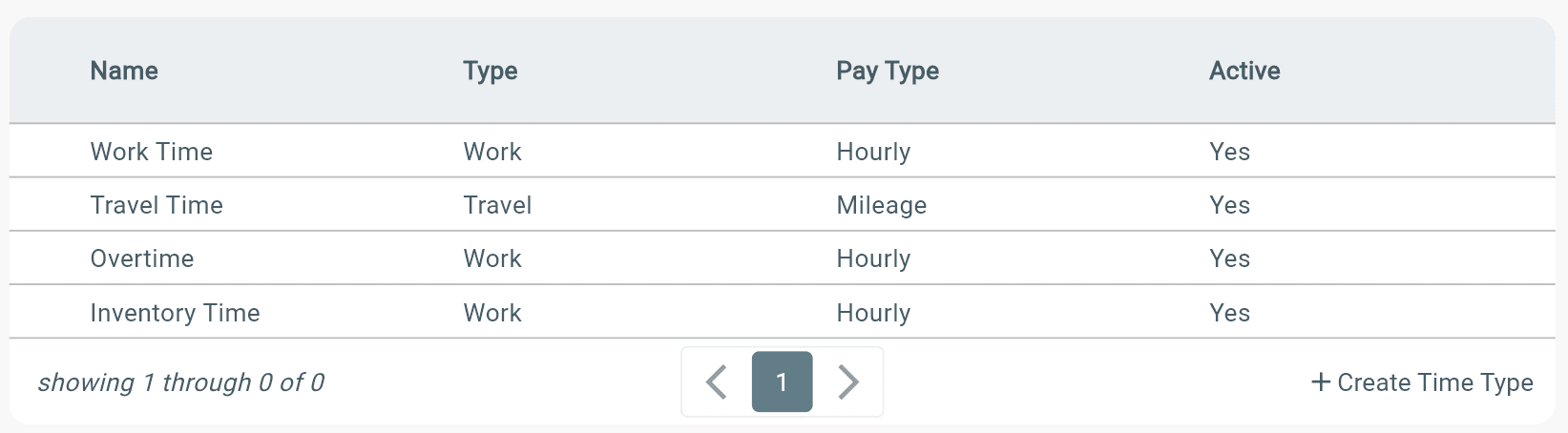
Once time has been stopped for the job, the specific time type used on the job will show in Timesheets. Time Types will also be seen on Timesheet PDF exports.
How to Locate Time Types
Time Types show as a dropdown selection when users clock in to work time in Lexul:
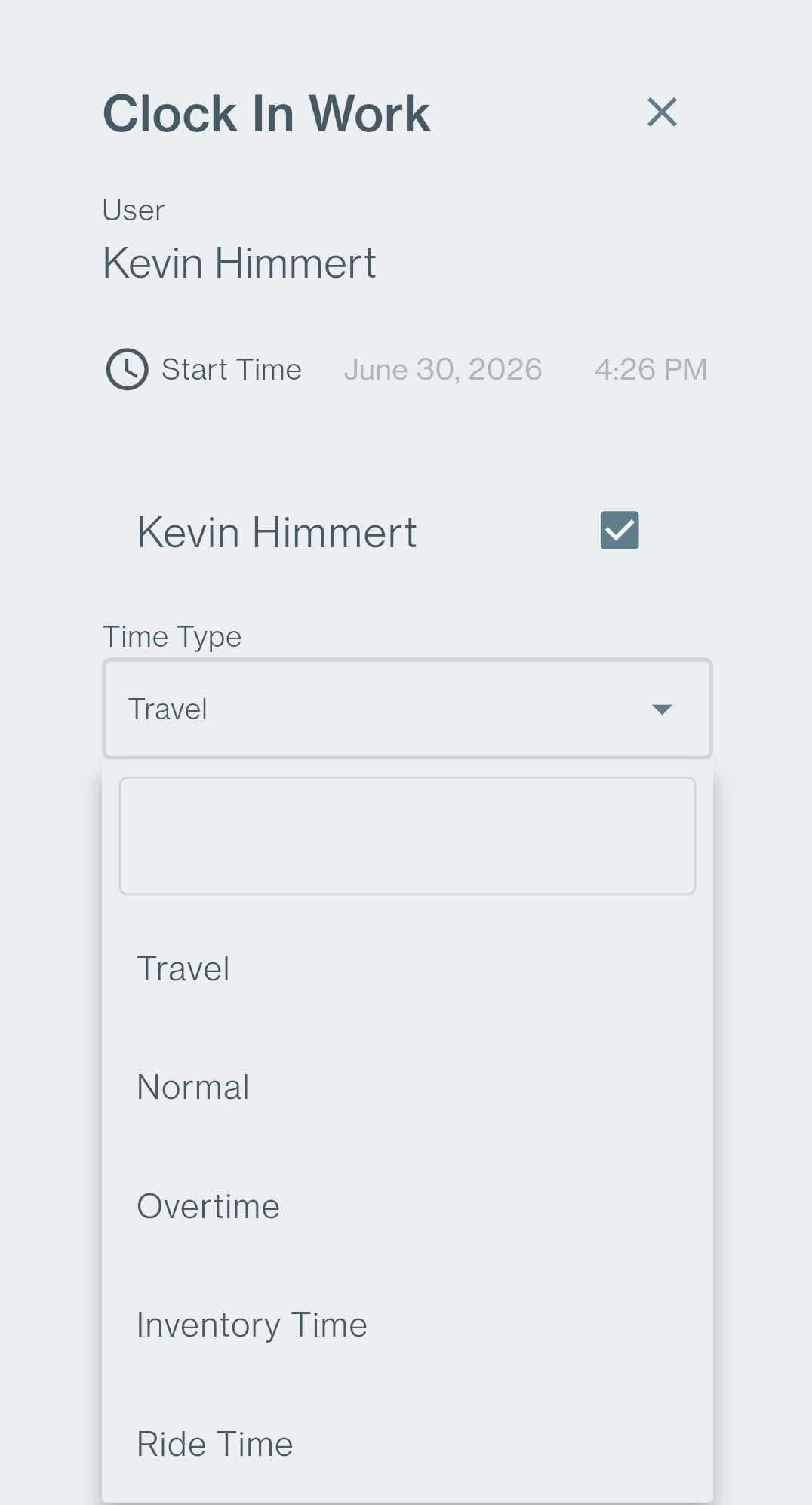
Time Types can be created during Lexul setup or added later through the Configuration menu.
Adding Time Types
To add or manage Time Types:
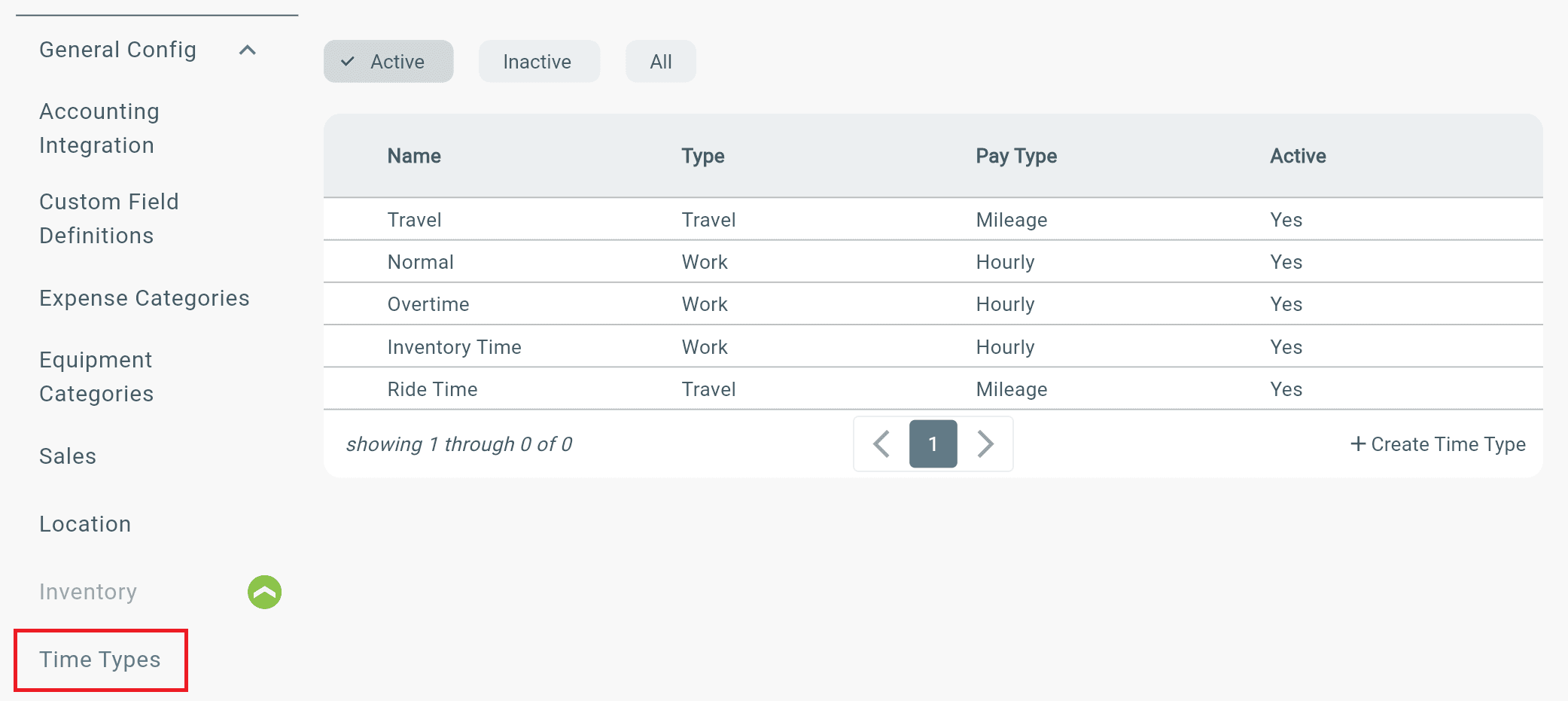
Configuration → General Config → Time Types
From here you can:
- Create new Time Types.
- Update existing Time Types.
- Customize time tracking categories for your workflow.